Staying safe on Brethreign
How Brethreign protects the community, the privacy settings you control, and simple habits that keep you safe from scams online.
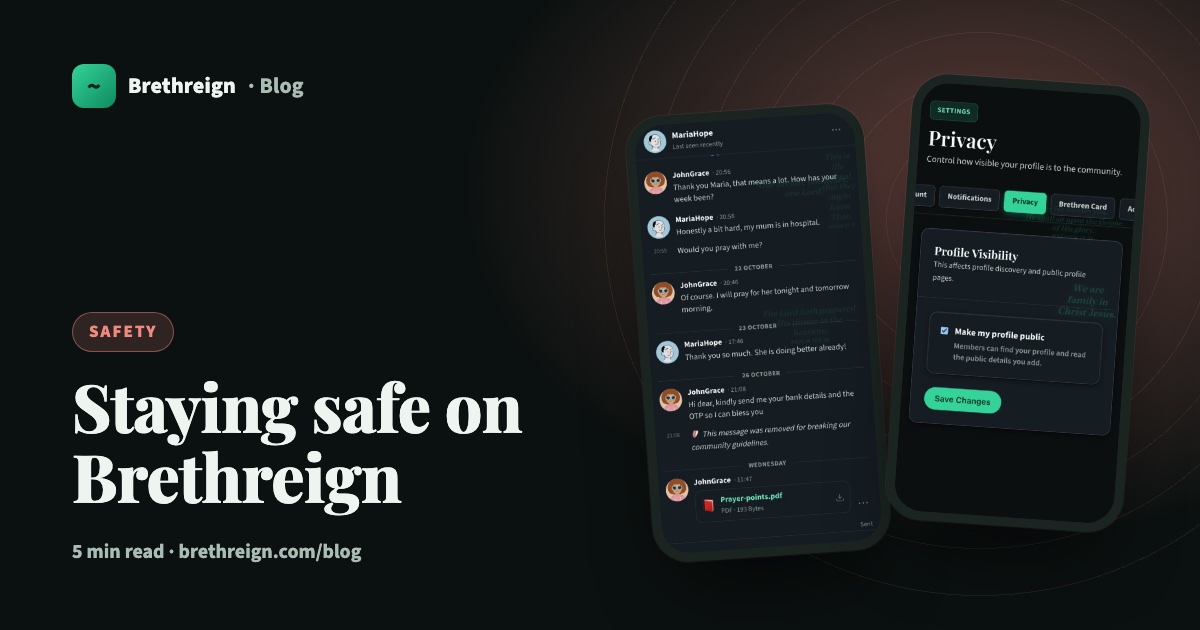
Brethreign is meant to be a safe online home for believers. That takes work on our side and a few good habits on yours. This article explains how we protect the community, which settings put you in control, and the simple rules that will keep you safe on Brethreign and everywhere else online.
How Brethreign keeps the community safe
AI checks on what people share
Brethreign’s AI checks breaths, comments, chats, photos and portfolio pieces for four things: abuse, explicit content, occult content and scams. Most of the time you will never notice it. It works quietly in the background so that the feed, your Inbox and members’ profiles stay fit for a family of believers.
When a portfolio piece is flagged, it is hidden from others and its owner is told why. Once it is edited and passes the check, it shows again.
The scam guard in chats
Scammers know that people of faith are generous, and they try to take advantage of it. So private chats have an extra layer of protection. Messages about money, bank details or codes trigger a warning, giving you a moment to stop and think before you reply.
Messages that break the guidelines are removed
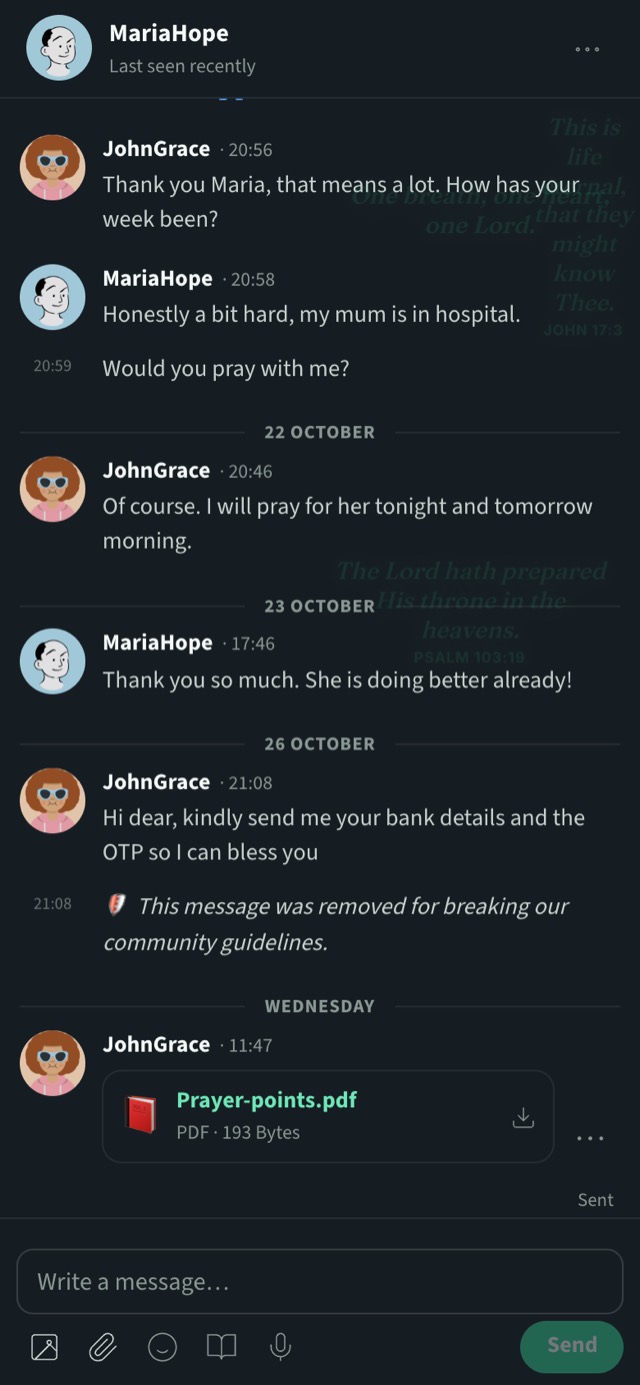
When a message breaks our community guidelines, it is removed and you see “This message was removed for breaking our community guidelines” in its place. In the screenshot below, a message asking for bank details and an OTP has been taken down.
People who review reports
Technology catches a lot, but it cannot catch everything. If you see something that is not right, report it in one tap. Our moderators, who are real people, review what you report.
No ads in your private spaces
There are no ads in prayer, chats or Prayer Circles. The places where you are most open stay free of selling.
What you control
Your profile: public or private
You decide who can see your profile.
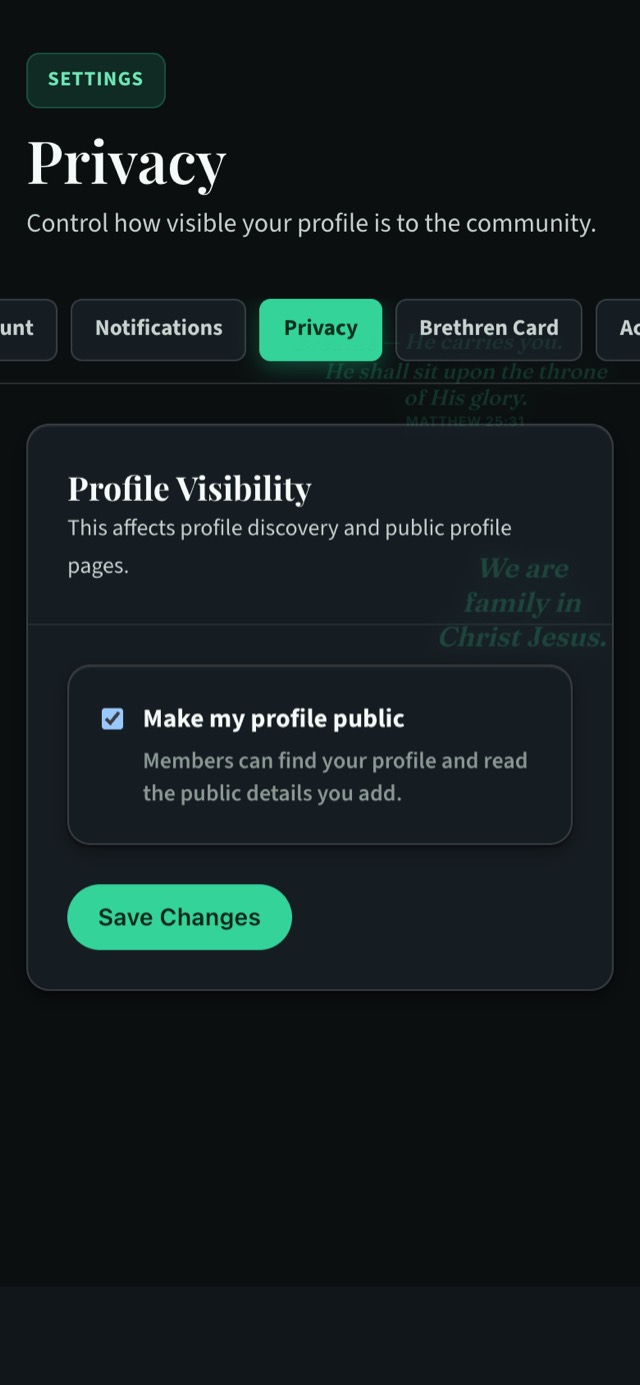
- Open Settings → Privacy. Or go straight to /settings/privacy/edit.
- Look for “Make my profile public”. When it is ticked, members can find your profile and read the public details you add.
- Untick it to keep your posts and portfolio to yourself.
- Tap Save Changes.
Your Brethren Card is only for connections
Your Brethren Card holds the more personal details: your church or assembly, what you do, your WhatsApp number, your email and a short about. Only your connections see it. Following someone does not give them your card. A connection only happens when you both agree, so you choose who gets your contact details. Read more in Your Brethren Card and connecting.
Anonymous prayer requests
Some burdens are hard to share with your name on them. When you post a prayer request, you can choose to post it anonymously. People can still pray with you without knowing who you are.
Blocking
If someone keeps messaging you and you want it to stop, you can block them from messaging you. You do not need to explain yourself.
Safety habits that protect you anywhere
The best protection is a few simple habits. They work on Brethreign, on WhatsApp, on email and on every other site.
- Never send money to someone you met online. However kind they seem and however urgent the story, do not send money, airtime or gift cards to someone you only know from the internet.
- Never share a code. One-time passwords (OTPs), verification codes and PINs are for you alone. Nobody genuine will ever need you to send them one.
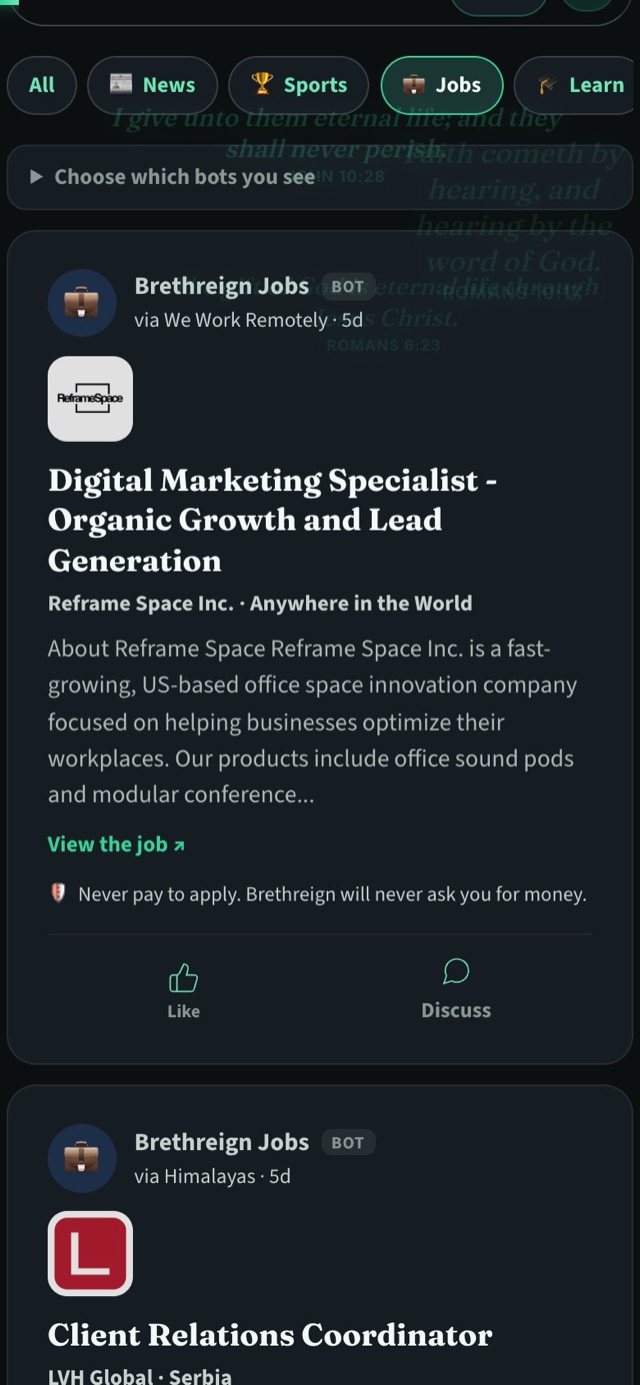
- Never pay to apply for a job. Every job and course in our Updates tab carries the line “Never pay to apply. Brethreign will never ask you for money.” That is true for jobs everywhere.
- Keep your contact details for people you trust. That is exactly what the Brethren Card is for.
- Slow down when someone rushes you. Pressure to act quickly is one of the commonest signs of a scam.
- Talk to someone you trust. If something feels off, ask a friend, a family member or someone at church before you act.
Behold, I send you forth as sheep in the midst of wolves: be ye therefore wise as serpents, and harmless as doves. (Matthew 10:16)
Read the Community Guidelines
Our Community Guidelines explain what is welcome on Brethreign and what is not. Reading them once will help you know what to report and how to be a good neighbour here.
Keep going
Read next
 Professional
Introducing Brethreign Professional: your faith and your work in one place
Brethreign now has a professional side: a Professional tab, profile strength, LinkedIn import, Volunteering and a Portfolio for work you're proud of.
 Professional
Open to, endorsements and your business card: three ways to be found
Tell people what you're open to, let your connections vouch for your skills, and share a digital business card with a QR code.
 Professional
Import your LinkedIn profile into Brethreign
Bring your roles, education, skills, certifications and languages from LinkedIn to Brethreign with a PDF or data export. You check everything first.
Join Brethreign, free
A safe online home for Christians: breathe, pray, read, chat, and grow in your work.